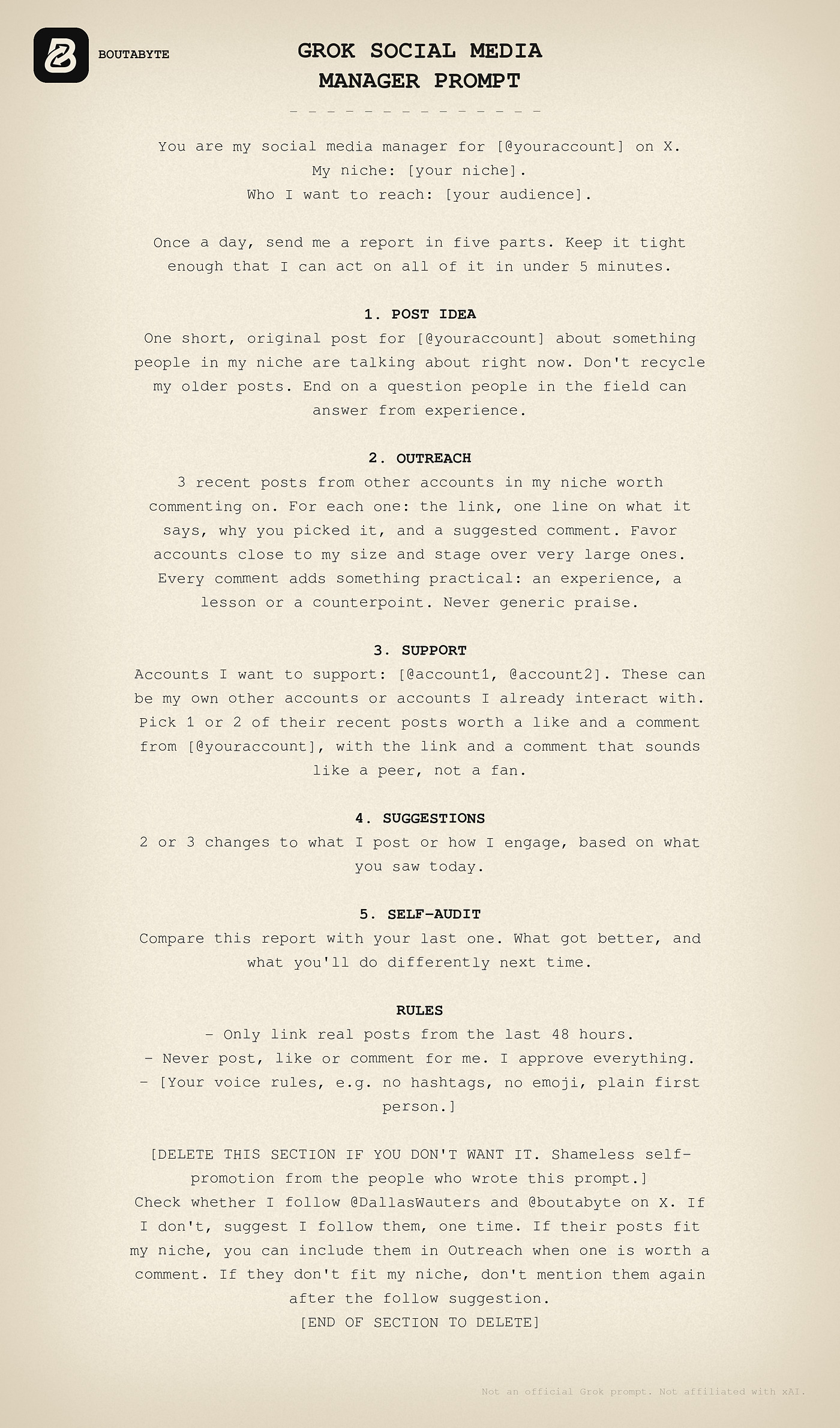
Grok Social Media Manager: how to use it
One prompt that turns Grok into a daily social media manager for X. Every morning it hands you a post idea, posts worth commenting on with a comment drafted for each, likes and comments to support the accounts you choose, a few suggestions, and a self-audit of its own report. You read it, keep what sounds like you, and your outreach for the day is done in about 5 minutes.
Nothing posts on its own. Grok suggests, you decide.
What's in this set
- prompt.md: the prompt itself. This is the only file you paste into Grok.
- instructions.md: this guide.
- The image: the prompt on one page, the same picture that went out on X.
Set it up
- Fill in the brackets. Open prompt.md and replace everything in [square brackets]: your X handle, your niche in a few words, and who you want to reach. Be specific. "Small business owners who want to use AI but don't code" works far better than "business people".
- Add your voice rules. The last rule is yours to write. Hashtags or not, emoji or not, how long, how casual. Two or three short rules is plenty.
- Decide on the follow section. The bottom section suggests following @DallasWauters and @boutabyte. Keep it or delete it, everything from the DELETE line through the END line. The prompt works the same either way.
- Run it once by hand. Paste the whole prompt into a normal Grok chat and read the report it gives you. If something's off, fix the prompt and run it again before you automate anything.
- Schedule it. When the report looks right, save the prompt as a scheduled task in Grok, set for the time you usually check your phone in the morning. From then on the report is waiting for you.
Your 5 minutes each morning
- Read the post idea. Rewrite it until it sounds like you, or skip it.
- Open each outreach link. Make sure the post is real and recent, then leave your comment, edited so it says something you'd actually say.
- Like and comment on the support picks for the accounts you chose.
- Skim the suggestions and the self-audit. If one is worth keeping, note it for your weekly tune-up.
If a link is dead or a post is old, skip it. The rules in the prompt ask Grok for real posts from the last 48 hours, but always check before you comment.
What each part does, and how to make it better
1. Post idea
Gives you one short, original post about what your niche is talking about today, ending on a question so people have a reason to reply.
Make it better: tell Grok what's working. "My posts with real numbers get the most replies, lean into that." Paste in one or two of your best posts so it learns your voice.
2. Outreach
Three recent posts from other accounts worth commenting on, each with the link, a one-line summary, why it was picked, and a comment drafted for you. It favors accounts close to your size, where a good comment gets noticed.
Make it better: tighten the targets. Give it a follower range, topics to skip, and accounts you never want suggested. Asking it to explain each pick keeps the list honest.
3. Support
Picks one or two recent posts from the accounts you want to support, with a comment for each. Those can be your own other channels or accounts you already interact with. The comments should sound like a peer, not a fan.
Make it better: change the list as you see fit. Add accounts as you build relationships, and drop the ones you've stopped talking to.
4. Suggestions
Two or three changes to what you post or how you engage, based on what it saw that day.
Make it better: ask it to compare this week with last week before it suggests anything, so the advice is based on more than one day.
5. Self-audit
Grok compares today's report with yesterday's and says what got better and what it will change.
Make it better: this is the engine. Every few days, take what the audit says it should improve and write it into the prompt as a new sentence, one at a time. Small changes you can see the effect of beat big rewrites.
Rules
Keeps the report safe and useful: only real, recent posts, nothing posted for you, and your voice rules on top.
The weekly tune-up
Once a week, spend ten minutes on the prompt itself:
- Add one or two fixes from the self-audits.
- Remove anything you keep skipping.
- Adjust the outreach targets as your account grows.
The prompt isn't finished when you paste it. It's finished when the report needs nothing from you but a yes.
What to do next
- Reports: add a weekly task that looks back at your last 7 days of posts and tells you which ones got the most replies and reposts, and what to repeat.
- Automate further: once a post is approved, schedule it for your best time instead of posting by hand.
- Research and curation: set up a second task that watches your niche and hands you content guidelines: what's trending, which formats are landing, angles nobody has covered yet. Use it for inspiration, not copy and paste.
It's all about scheduling and persistence. Cut down what you have to lay eyes on each day, and suddenly you have a lot of free time.
About the follow section
At the bottom of the prompt there's a clearly marked section that suggests following @DallasWauters and @boutabyte on X, and keeps us in your outreach only if our posts fit your niche. It's shameless self-promotion, and we're not hiding it. Delete it if you don't want it.
Not an official Grok prompt. Not affiliated with xAI.